
SecureConnect Key Management System
Know who has every key, and when it comes back.
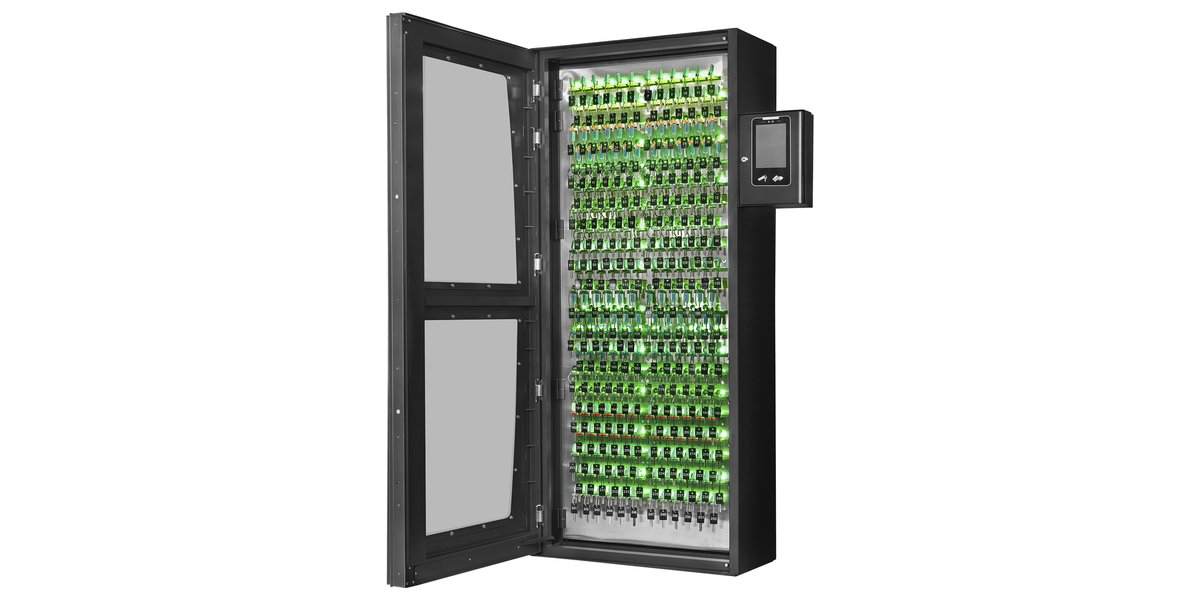
Electronic key cabinets that release keys only to approved people, take a photo of everyone who opens them and keep a complete record of every key out and back.
Sized, installed and serviced by SecureConnect.
Why it matters
Keys are the access you can’t see.
One lost master key
Can mean rekeying a whole building, plus the cost and downtime that come with it.
Sign-out sheets don’t prove much
A clipboard can’t tell you who really took a key, when, or whether it came back.
Vendors and after-hours access
Contractors and night shifts need keys when no manager is on site to hand them out.
How it works
Three steps, every time.
1Sign in
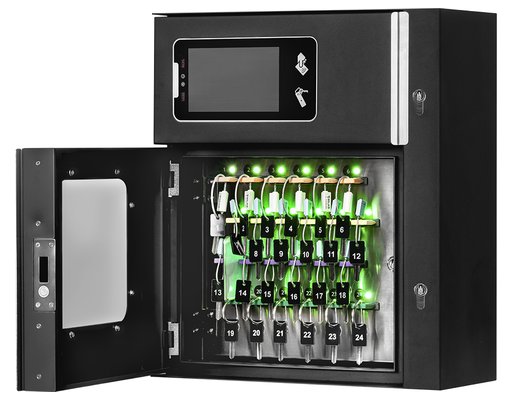
Tap a badge, enter a PIN or use face recognition at the 7-inch touchscreen.
2Take a key
Only the keys you’re approved for light up and unlock. Everything else stays locked in place.
3Return it
Tap the key tag and the right slot lights up. The return is logged with the time and a photo.
What you get
Control, proof and peace of mind.
Works with your badges
Reads the HID, Mifare and DESFire cards your people already carry. Add PIN, fingerprint or face recognition with liveness detection.
A photo audit trail
A built-in camera photographs every user. See live key status and export reports to Excel or PDF.
Rules you set
Time schedules, key groups, two-person access for critical keys and one-time codes for vendors and contractors.
Alerts when it matters
Optional text and email alerts for overdue keys, a forced door or a power loss.
Built to resist tampering
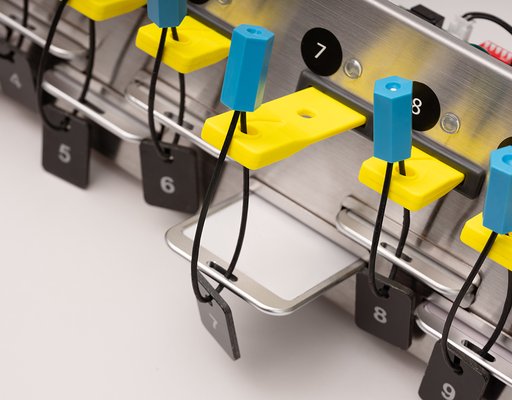
Steel cabinet, tamper-proof window and serial-numbered steel key rings and seals.
Secure during outages
Battery backup runs the cabinet for up to 6 hours. After that, keys lock in place and a master key releases them.
Easy to manage
Runs in a web browser with nothing to install. Import users from a spreadsheet and manage up to 5,000 people.
Grows with you
Seven cabinet sizes. An optional hub manages cabinets across multiple sites with Active Directory sign-in.
Key tags
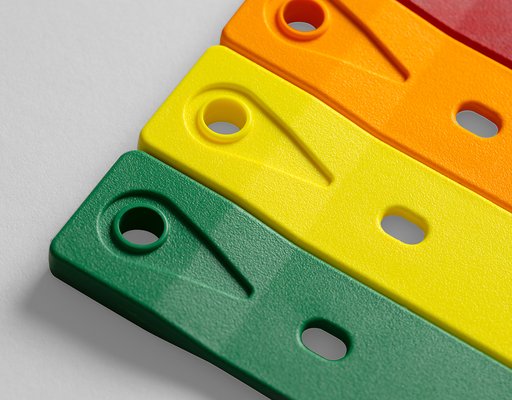
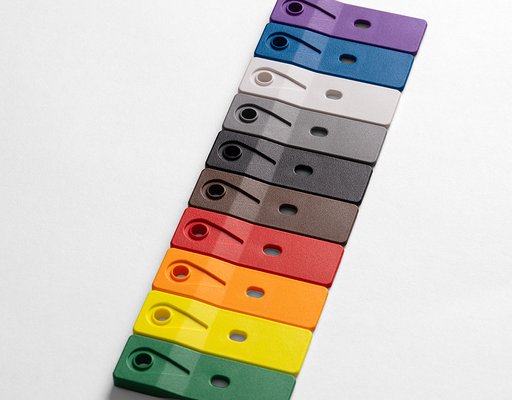
Color-code keys by building, department or vehicle.
Encrypted RFID key tags come in 10 colors and carry a limited lifetime warranty. Keys attach with tamper-proof, serial-numbered stainless steel rings and cable seals.
Cabinet sizes
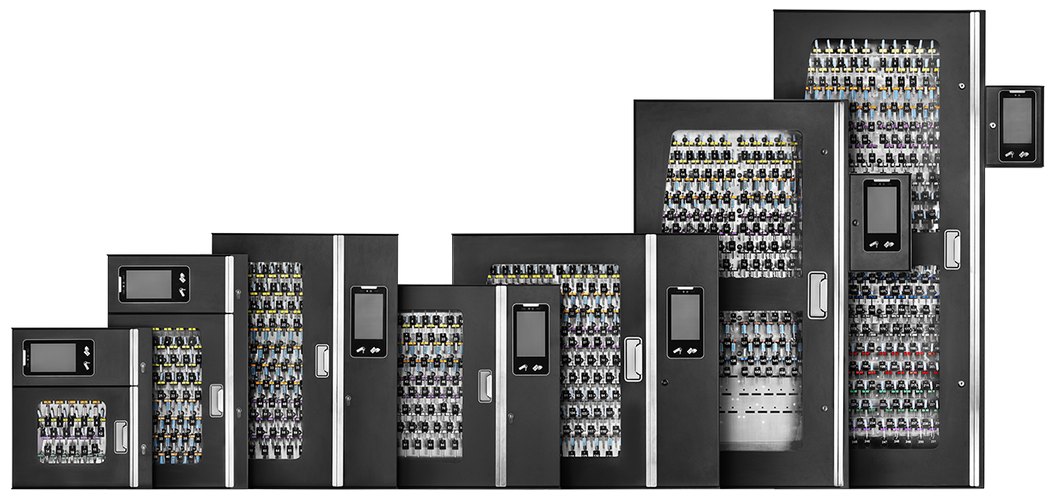
From a single office to a whole campus.
Seven cabinet sizes from 24 to 252 key slots, all running the same software, so you can start small and add cabinets as you grow.
Where it’s used
Any place keys can walk away.
Installed and supported by SecureConnect
One team from the first walkthrough to every service call.
SecureConnect is part of Connect Service Solutions, a family of 12 specialized facility service companies based in Sheridan, Arkansas.
- Size it. We count your keys and pick the right cabinet and tag colors.
- Install it. Mounting, power, network and badge reader setup.
- Set it up. Users, key groups, schedules and alerts, ready on day one.
- Support it. Training for your admins and service after install.
Questions
Common questions
Will it work with the badges we already use?
Yes, in most cases. The cabinet reads HID Proximity, HID iCLASS, Mifare and DESFire cards, and it can connect to a third-party reader. We’ll confirm your card type during the walkthrough.
What happens if the power goes out?
A backup battery keeps the cabinet running for up to 6 hours. If the battery runs out, keys stay locked in place so nobody can take them, and an authorized manager can release them with the master key.
Do we need to install software?
No. The cabinet has its own management software that you open in a web browser over a secure connection.
Can we manage cabinets at more than one location?
Yes. An optional central hub manages multiple cabinets on your network, syncs user access between them and supports single sign-on through Active Directory.
Is face recognition included?
Face recognition and text alerts are optional add-ons. Badge and PIN sign-in, the built-in camera and the full audit trail come standard. We’ll lay out the options in your quote.
Request a demo
See it in action.
Tell us a little about your site and we’ll set up a demo and walk through how the cabinet fits your keys.
